Comprehensive Guide to Fanuc Subprogramming (M98 and M99)
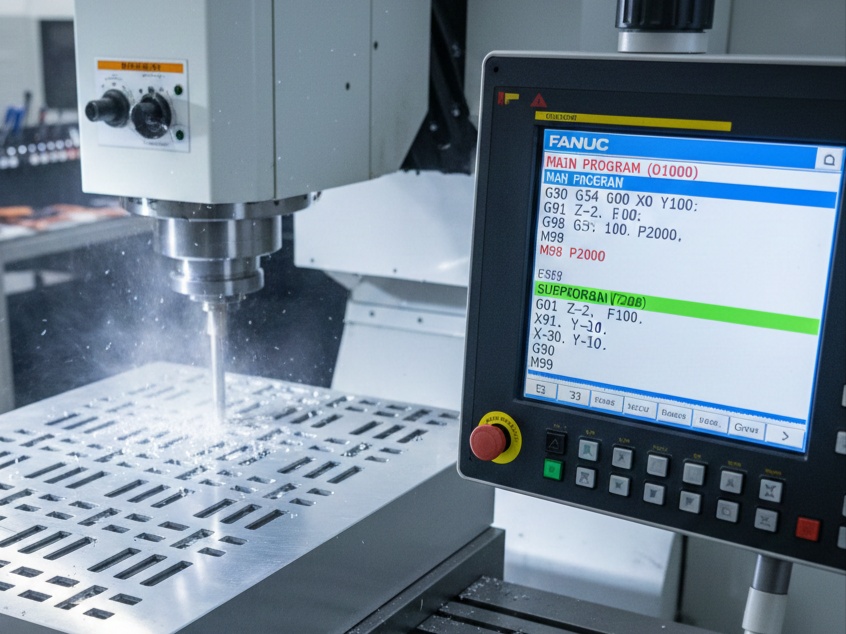
In CNC programming, efficiency is the difference between a profitable job and a wasted shift. When a part requires repetitive features—such as multiple holes, slots, or pockets—writing the same code over and over is inefficient and prone to errors. This is where Subprogramming comes in. By using the M98 and M99 codes, you can write a sequence once and call it as many times as needed.
1. Understanding the Core Commands
To master subprogramming, you must understand the two primary G-codes involved:
M98: Subprogram Call
The M98 command tells the CNC controller to stop reading the current program and “jump” to another program stored in the memory.
- Syntax:
M98 P_ _ _ _ _ _ _ _ - The P-Address: The P-address is typically an 8-digit number.
- The first four digits represent the number of repetitions (L).
- The last four digits represent the program number.
- Example:
M98 P00052000calls program O2000 exactly 5 times.
M99: Subprogram End / Return
The M99 command is placed at the very end of the subprogram. It acts as a “return” ticket, telling the controller to jump back to the main program, specifically to the line immediately following the M98 call.
2. Practical Application: Repetitive Slot Milling
Imagine a plate that requires four identical slots. Instead of calculating the coordinates for every move for all four slots, we define the “shape” of the slot in a subprogram using Incremental Mode (G91).
Main Program (O1000)
The main program handles the setup, tool changes, and the “start positions” for each slot.
G-Code
O1000 (MAIN PLATE PROGRAM)
N10 G21 G90 G40 G80 ; Safety block (Metric, Absolute)
N20 T01 M06         ; Tool change to 10mm Endmill
N30 S2500 M03       ; Start spindle
N40 G54 G00 X20. Y20. ; Move to the start of Slot 1
N50 G43 H01 Z5. M08  ; Tool length comp and coolant

N60 M98 P2000       ; CALL SUBPROGRAM FOR SLOT 1

N70 G00 X20. Y60.   ; Move to the start of Slot 2
N80 M98 P2000       ; CALL SUBPROGRAM FOR SLOT 2

N90 G00 X80. Y60.   ; Move to the start of Slot 3
N100 M98 P2000      ; CALL SUBPROGRAM FOR SLOT 3

N110 G00 X80. Y20.  ; Move to the start of Slot 4
N120 M98 P2000      ; CALL SUBPROGRAM FOR SLOT 4

N130 G00 Z50. M09   ; Retract and coolant off
N140 G91 G28 Z0.    ; Home Z axis
N150 M30            ; End of Main Program
Subprogram (O2000)
The subprogram defines the movement relative to wherever the tool is currently standing.
G-Code
O2000 (SLOT GEOMETRY)
G01 Z-2. F100.      ; Feed to depth
G91                 ; Switch to Incremental for the shape
G01 X30.            ; Move 30mm right
G01 Y10.            ; Move 10mm up
G01 X-30.           ; Move 30mm left
G01 Y-10.           ; Move 10mm down
G90                 ; Switch back to Absolute (Crucial Safety!)
G00 Z5.             ; Rapid out of the material
M99                 ; Return to Main Program
3. Advanced Technique: Subprogram Nesting
“Nesting” occurs when a main program calls a subprogram, and that subprogram calls another subprogram. Fanuc controllers typically allow nesting up to 4 levels deep.
Why use Nesting?
Nesting is perfect for grid patterns.
- Level 1 (Main): Calls the Row logic.
- Level 2 (Sub-A): Moves the tool along the X-axis for a row and calls the Hole logic.
- Level 3 (Sub-B): Performs the actual drilling or milling of a single hole.
4. Multi-Pass Machining (The Repetition Factor)
One of the most powerful ways to use M98 is for deep pockets that cannot be cut in a single pass. If you need to cut 20mm deep, but your tool can only cut 2mm at a time, you use the repetition count.
Main Program Call:
M98 P00103000 (This calls program O3000 ten times).
Subprogram (O3000):
G-Code
O3000 (DEPTH INCREMENT SUB)
G91 G01 Z-2. F150.  ; Go 2mm deeper than current position
G90 G01 X100. Y100. ; Move to coordinate in Absolute
X0. Y0.             ; Finish the square
M99
Each time M99 is reached, the controller checks if it has completed the 10 repetitions. If not, it runs O3000 again, starting from the new Z-depth.
5. Important Rules and Best Practices
To avoid crashes and “Program Not Found” alarms, follow these industry standards:
A. The G90/G91 Trap
The biggest mistake beginners make is staying in G91 (Incremental) after the subprogram finishes. Always ensure your subprogram ends with G90 before the M99, or ensure the first line of your Main program after the call re-establishes G90. Failure to do this will cause the next move to be calculated from the tool’s current position, often leading to a crash.
B. Program Storage
The subprogram must be a separate file in the CNC memory. It cannot be “hidden” inside the main program unless your machine supports “Local Subroutines” (which use M97 on Haas or specific Fanuc options).
C. Sequence Numbers with M99
A little-known feature of M99 is the ability to return to a specific line.
M99 P100tells the machine to return to the main program and look for the lineN100.- Warning: This can be dangerous as it skips all code between the
M98andN100. Use this only for specific logic like error-handling or skipping optional features.
D. Modal Commands
Remember that modal commands (like G01, G00, S2000, F500) stay active. If you change the feed rate in a subprogram, it will remain at that speed when it returns to the main program unless you change it back.
Conclusion
Subprogramming with M98 and M99 is a fundamental skill for any CNC programmer. It reduces the size of your G-code files, makes editing easier (you only have to change one subprogram instead of 50 locations in a main program), and allows for complex machining logic like nesting and depth-looping.
By mastering the balance between Absolute (G90) and Incremental (G91) movements within these calls, you can create highly flexible programs that can be repurposed for various parts with minimal adjustments.