CNC Mill Programming: G41 & G40 Cutter Radius Compensation Example
Here is a complete, standard Fanuc-style CNC milling program example demonstrating the use of G41 (Cutter Radius Compensation Left) and G40 (Compensation Cancel).
Simple CNC Mill Program Example
This program mills the outside of a 50mm x 50mm square using a 10mm diameter end mill (Radius = 5mm).
Program Overview
- Units & Mode: Metric (G21), Absolute Positioning (G90), XY Plane (G17).
- Tool & Spindle: Tool 1 (T1 M06), Spindle at 2000 RPM clockwise (S2000 M03).
- Operation: Contour milling with left cutter radius compensation.
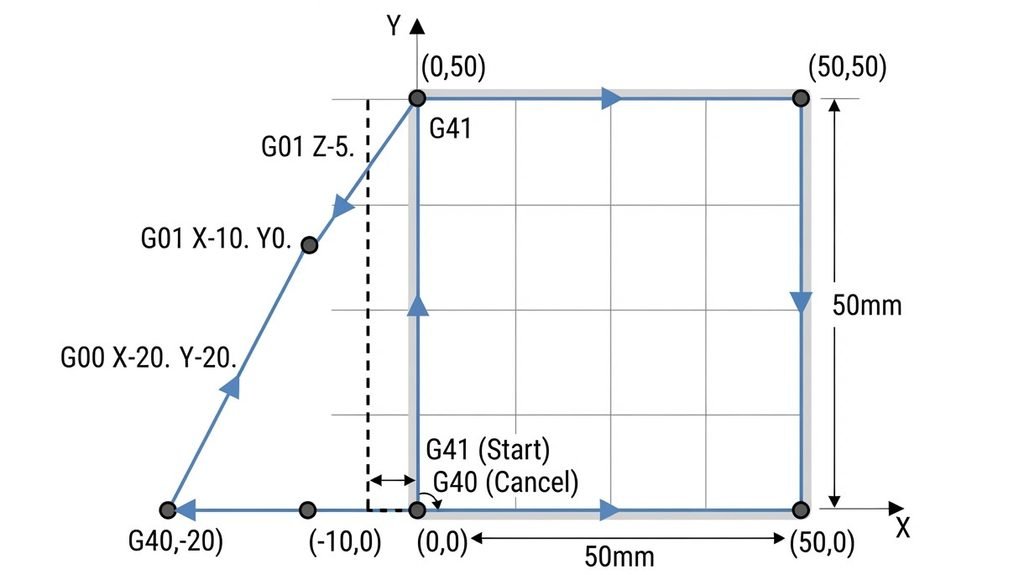
O1001 (G41 G40 DEMO)
G21 G90 G40 G17
T1 M06
S2000 M03
G00 X-20. Y-20. Z5
G01 Z-5. F200
G01 X-10. Y0.
G41 D01 X0. Y0. F300
X50. Y0.
X50. Y50.
X0. Y50.
X0. Y0.
G40 X-20. Y-20. F300
G00 Z50.
M30
Explanation of CNC G-Code
O1001 (G41 G40 DEMO)
Program Number & Name
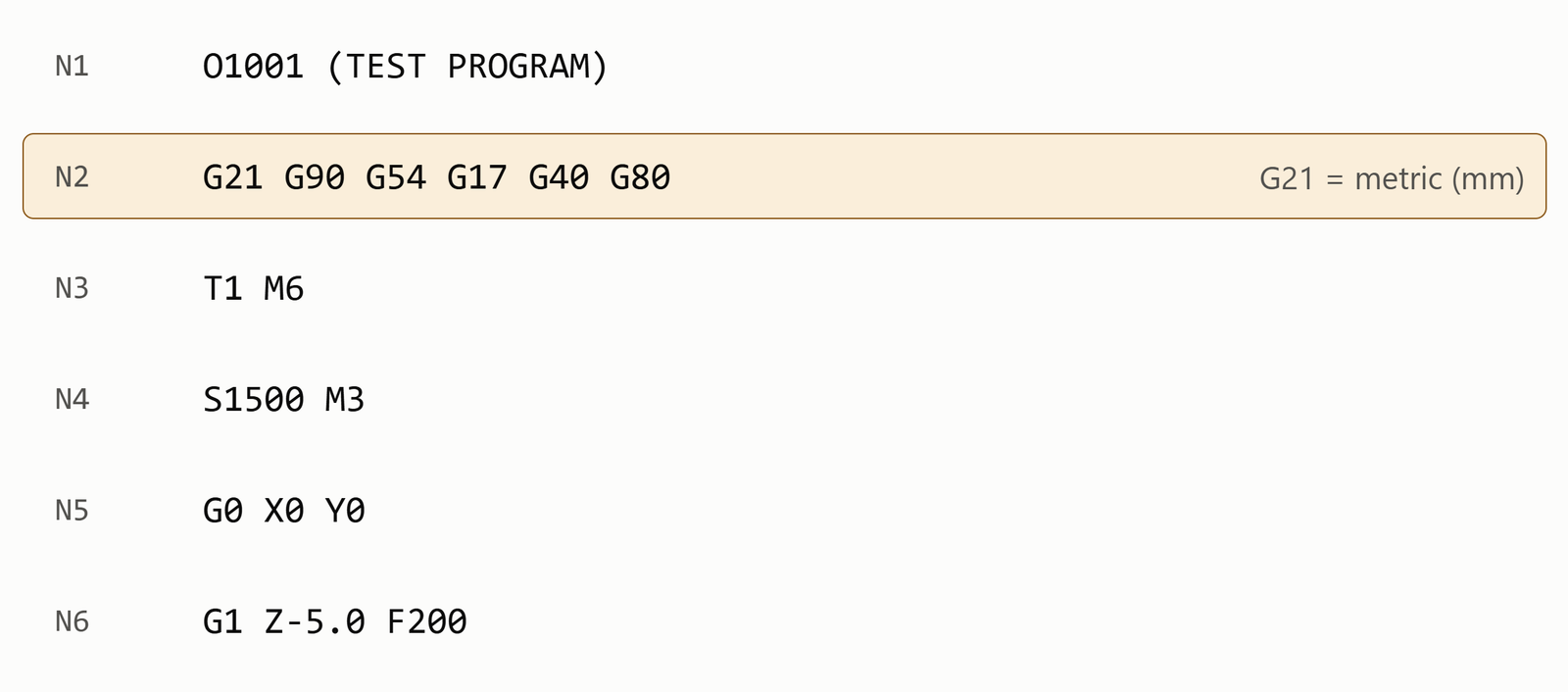
G21 G90 G40 G17
Sets units to millimeters (G21), absolute coordinates (G90), cancels any active cutter compensation (G40), and selects the XY working plane (G17).
T1 M06
S2000 M03
Calls Tool 1 and starts the spindle at 2,000 RPM in the clockwise
G00 X-20. Y-20. Z5
G01 Z-5. F200
Rapidly positions the tool safely above the starting area, then feeds down into the material to a cutting depth of -5 mm at a feederate of 200 mm/min}.
G01 X-10. Y0.
G01: This is a linear interpolation command, meaning the tool moves in a straight line at a specified speed.
X-10. Y0.: This command moves the tool to a position of -10 on the X axis and 0 on the Y axis.
G41 D01 X0. Y0. F300
G41: Adjust the size of the cutter and the cutting path of the tool to the left so that the job is exactly the right size.
D01: This is the offset register number 01, which stores the value of the tool radius.
X0. Y0.: The tool now moves to the new position of X = 0 and Y = 0, applying the compensation.
F300: Indicates the cutting speed of the machine (i.e. 300 units per minute, i.e. mm per minute).
X50. Y0.ِ
X50. Y50.
X0. Y50.
X0. Y0.
Cuts a square starting from the origin (0,0), moving along the X-axis, up the Y-axis, back across the X-axis, and returning to the origin.
G40 X-20. Y-20. F300
Safely turns off cutter compensation while retracting the tool away from the finished part to X-20. Y-20.
G00 Z50.
M30
Rapidly pulls the tool up to a safe clearance height (Z50.) and ends the program with a memory reset (M30).
Important Tips
- Always enter the correct radius or diameter of the cutter in the Tool Offset table. Entering an incorrect value can result in a distorted part size.
- Always activate G41 or G42 with a straight line (Linear Movement – G01), never start compensation with an arc (G02/G03).
- Be sure to use G40 to cancel cutter compensation at the end of the program so that the tool position remains correct on the next line.