Top 10 CNC Programming Mistakes Beginners Make
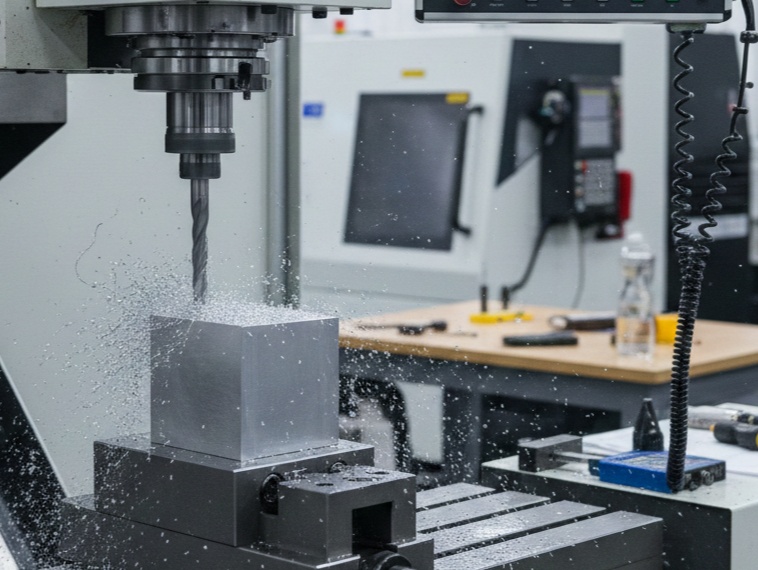
Starting out with CNC (Computer Numerical Control) programming can be intimidating. It’s a field where a single decimal point in the wrong place can result in a broken tool or, worse, a “crash” that damages the machine.
Here are the top 10 mistakes beginners make and how to avoid them.
1. Incorrect Feed Rates and Spindle Speeds
Beginners often guess these values or use “safe” speeds that are actually too slow. Running a tool too slowly can cause rubbing instead of cutting, leading to excessive heat and tool failure. Conversely, too fast will snap the bit.
The Fix: Always use a Speeds and Feeds calculator or refer to the tool manufacturer’s data sheet for the specific material you are cutting.
2. Confusing G00 and G01
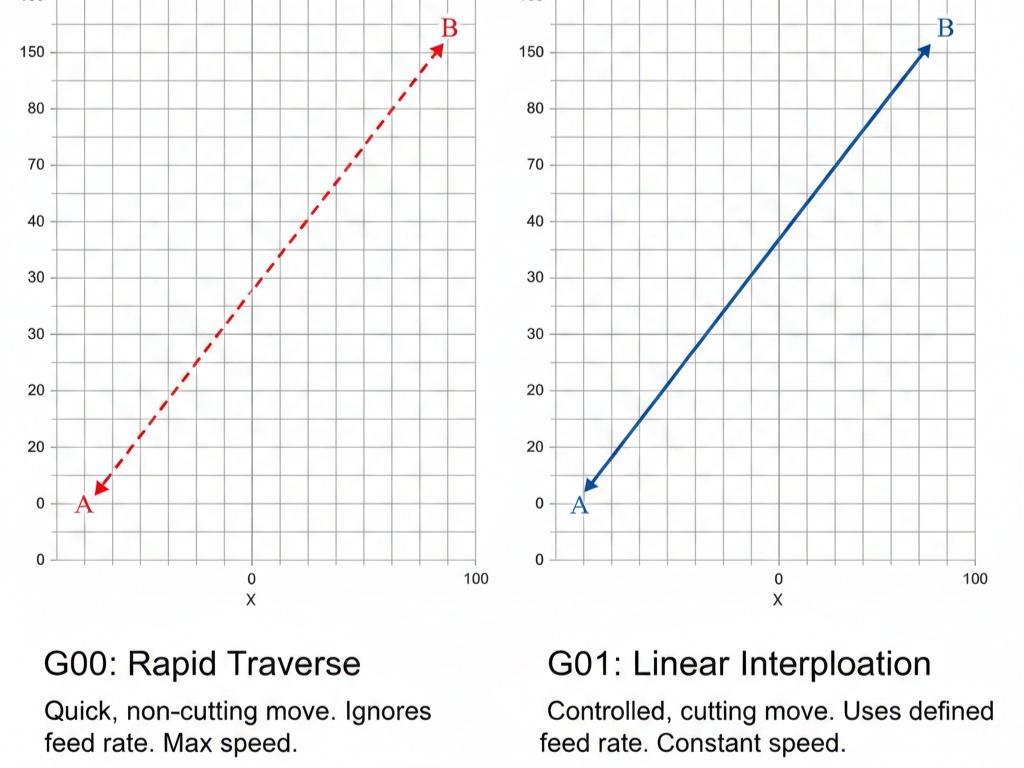
This is a classic “crash” cause. G00 is a rapid move—the machine moves as fast as possible to a coordinate. G01 is a controlled linear feed.
The Mistake: Using G00 to approach the workpiece. If your offset is slightly off, the machine won’t have time to stop before slamming into the stock.
The Fix: Use G00 to get near the part, but switch to G01 for the final approach.
3. Mixing Up Absolute (G90) and Incremental (G91)
G90 (Absolute): Moves to a coordinate relative to the origin (0,0).
G91 (Incremental): Moves a specific distance from where the tool is currently located.
The Mistake: Staying in G91 mode when you think you are in G90. If you tell the machine to go to $X10$ in G91, it will move 10 units to the right of its current spot, potentially hitting a clamp or the machine wall.
4. Decimal Point Errors
In many older CNC controllers, if you type X10, the machine reads it as 10 microns or “0.010,” not 10 inches.
The Fix: Develop the habit of always typing the decimal: X10.0. A missing dot can turn a major move into a tiny one, or vice versa.
5. Improper Tool Offsets and Work Offsets (G54-G59)
The machine needs to know exactly where your part is (Work Offset) and exactly how long each tool is (Tool Offset).
The Mistake: Forgetting to update the tool length after breaking a bit and replacing it, or failing to “zero” the machine on the corner of the new stock.
The Fix: Use a touch-off probe or a piece of paper to verify your $Z$-zero every time a tool or workpiece changes.
6. Ignoring the “Clearance Plane”
The clearance plane is the “safe height” where the tool moves between cuts.
The Mistake: Setting the clearance height too low. While it saves time, it increases the risk of the tool hitting a toe clamp or a high spot in the raw material.
The Fix: Check your physical setup. Ensure your retract height ($R$-plane) is higher than the tallest obstruction on the table.
7. Wrong Tool Rotation Direction (M03 vs. M04)
M03: Spindle starts clockwise (standard for most tools).
M04: Spindle starts counter-clockwise.
The Mistake: Running a standard drill bit in M04. It won’t cut; it will just glow red from friction and eventually melt or snap.
8. Forgetting “M” Codes for Housekeeping
Beginners often focus so much on the $X, Y, Z$ coordinates that they forget the commands that keep the machine safe.
M08: Flood coolant ON (prevents melting tools).
M05: Spindle OFF (crucial before a tool change).
M30: End of program and reset.
The Mistake: Not turning on coolant, leading to “chip welding” where the material melts onto the tool.
9. Entering the “Danger Zone” Without Simulation
Running a program “dry” (without looking at a preview) is a recipe for disaster.
The Fix: Use the “Graphic” mode on your controller or external CAM software to simulate the toolpath. Look for red lines or warnings indicating a collision.
10. Lack of Comments and Organization
A wall of code like G01X1.234Y2.345F10. is hard to read during an emergency.
The Mistake: Not labeling sections of the code.
The Fix: Use parentheses to add comments.
Example: N10 (ROUGH ENDMILL 1/2 INCH)
This helps you (and others) know exactly what the machine is doing at any given moment.