Fanuc Alarm 37: CAN NOT CHANGE PLANE IN CRC
Fanuc Alarm 37: CAN NOT CHANGE PLANE IN CRC
Fanus Control Model: Fanuc 0i, 16i, 18i, 21i, 31i Series
Description
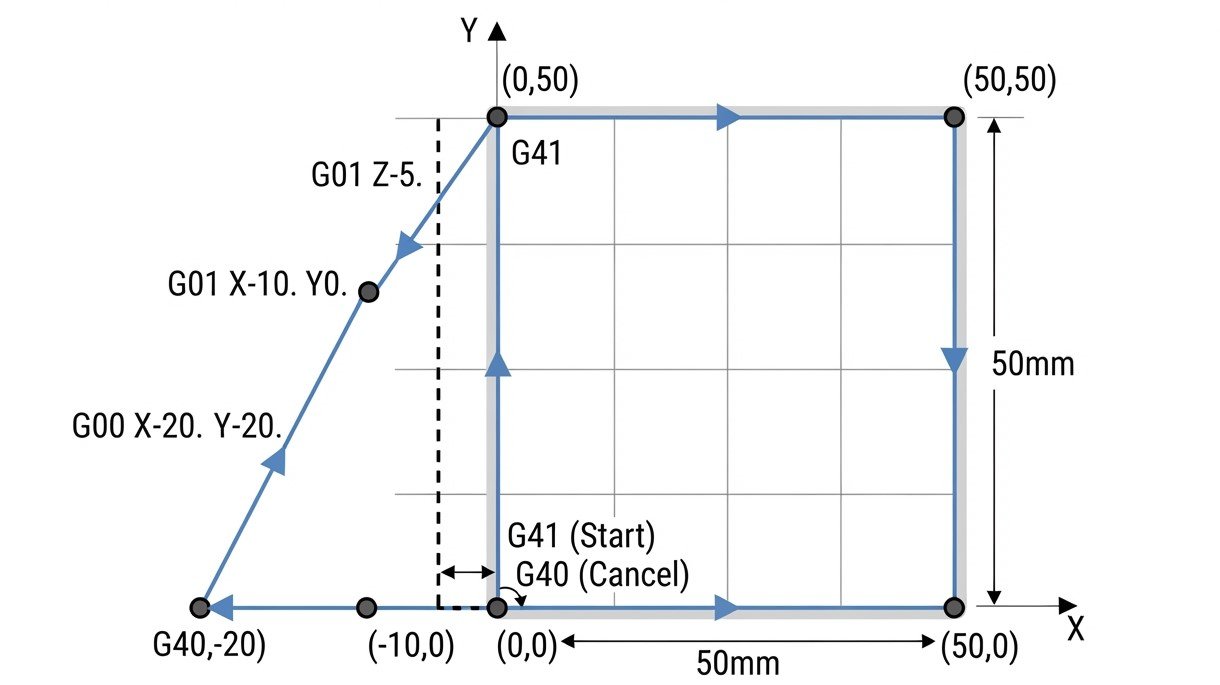
The Fanuc Alarm 37 occurs when the control encounters a command to switch the active work plane (G17, G18, or G19) while Cutter Radius Compensation (CRC), also known as G41 or G42, is active.
How to Fix Alarm
Look at the line where the machine stopped. If you see a G17, G18, or G19, look back in the code to see if a G41 or G42 was ever canceled.
Whenever you need to change planes, you must first stop the tool offset compensation via G40, otherwise the controller gets confused about how to manage the tool radius in the new plane.
Example of Correct Code Structure
Incorrect G-Code:
G17 G41 D1 Correct G-Code:
G17 G41 D1
G40
G18
G41 D1