Fanuc CNC Beginner Guide: Introduction for New Machinists
Fanuc CNC systems are among the most widely used and trusted control systems in the manufacturing industry. If you are new to CNC machining, learning Fanuc is an excellent choice because of its global acceptance, reliability, and long-term career value. This beginner guide will walk you through the basics of Fanuc CNC, its components, fundamental concepts, and essential G-codes every beginner must understand.
What Is Fanuc CNC?
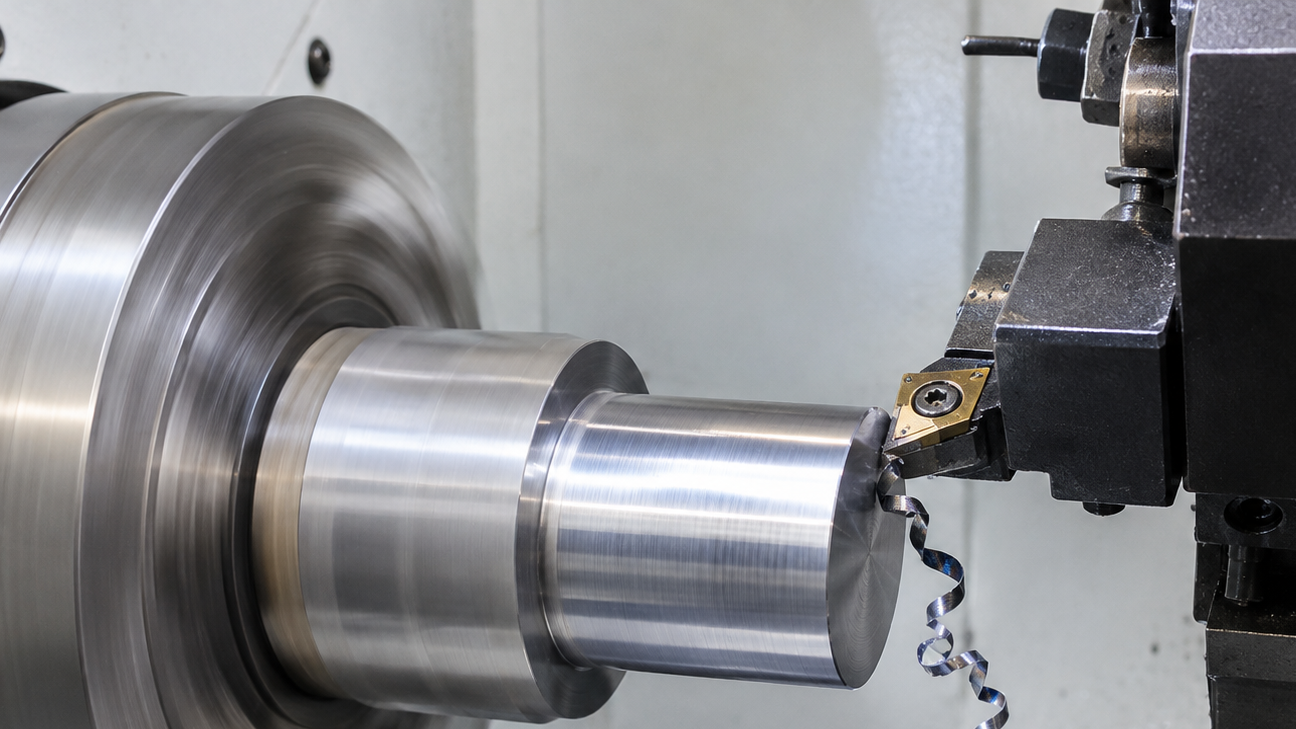
Fanuc is a Japanese company that manufactures CNC controllers, servo motors, robots, and automation systems. A Fanuc CNC controller is the brain of a CNC machine. It reads CNC programs (G-code and M-code), controls machine movements, spindle speed, tool changes, and ensures precise machining.
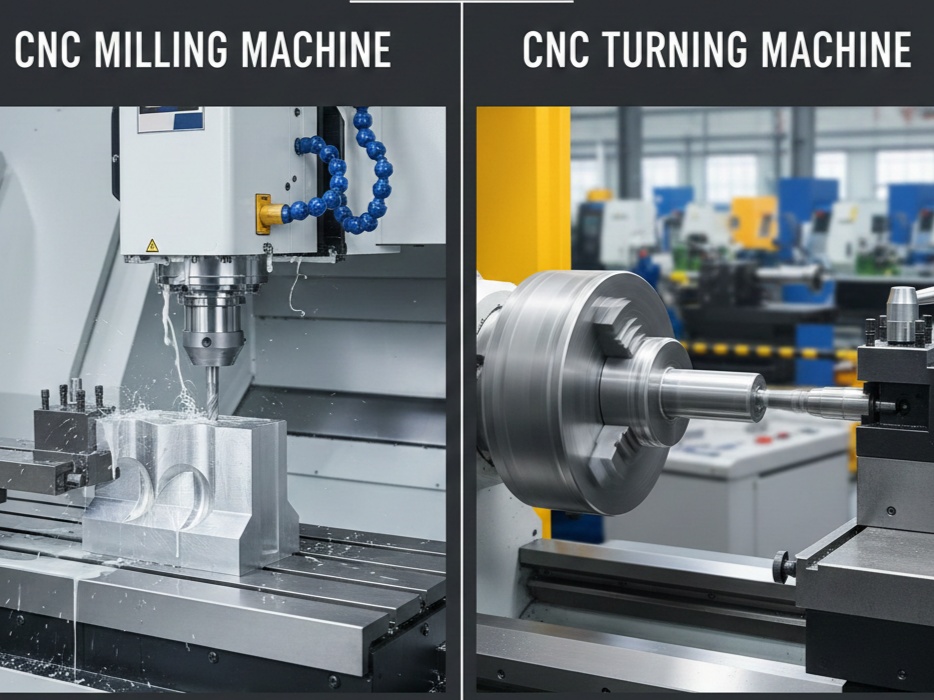
Fanuc controllers are commonly used in:
- CNC milling machines
- CNC turning (lathe) machines
- Machining centers
- Multi-axis CNC machines
Popular Fanuc series include Fanuc 0i, Fanuc 16i, 18i, 21i, and 31i/32i.
Why Learn Fanuc CNC as a Beginner?
For beginners, Fanuc CNC offers several advantages:
- Industry Standard – Used worldwide in factories and workshops
- Job Opportunities – High demand for Fanuc programmers and operators
- Stable Control Logic – Fanuc logic remains consistent across models
- Easy to Transition – Skills transfer easily to advanced machines
If you learn Fanuc CNC well, you can adapt to other controllers like Siemens or Haas much faster.
Basic Components of a Fanuc CNC Machine
Understanding machine components is essential before programming.
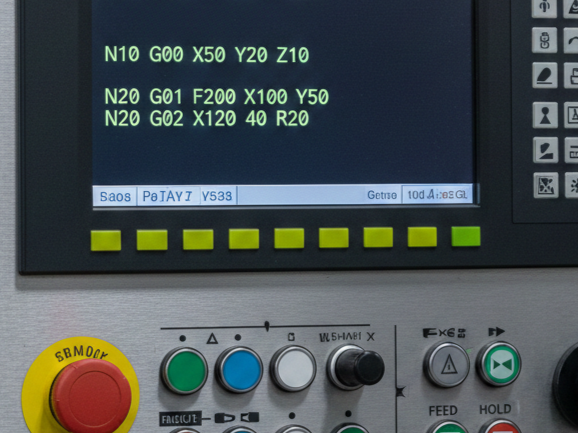
1. CNC Control Panel
The control panel includes:
- LCD screen
- Soft keys
- Alphanumeric keypad
- Mode selector (EDIT, MEM, JOG, MDI)
This is where programs are written, edited, and executed.
2. Servo Motors
Servo motors control the movement of machine axes (X, Y, Z). Fanuc servo motors are known for accuracy and smooth motion.
3. Spindle Motor
Controls spindle rotation and speed (RPM). Commands like M03, M04, and S-code control the spindle.
4. Tool Magazine & ATC
Used in milling machines for automatic tool changes.
Fanuc CNC Operating Modes (Very Important)
Beginners must understand machine modes clearly:
- EDIT Mode – Write or modify CNC programs
- MEM (Memory) Mode – Run stored programs
- MDI (Manual Data Input) – Run single commands manually
- JOG Mode – Move axes manually
- HANDLE Mode – Fine manual movement using MPG
Incorrect mode selection is a common beginner mistake.
Coordinate System in Fanuc CNC
Fanuc CNC works on a Cartesian coordinate system.
Machine Coordinate (G53)
- Fixed by the machine manufacturer
- Origin is machine zero
Work Coordinate System (G54–G59)
- Set by the operator
- Defines the part zero
Most beginners mainly use G54.
Fanuc CNC Programming Basics
Fanuc CNC uses G-codes and M-codes.
What Is G-Code?
G-Code is the basic programming language for computer numerical control (CNC) machines and 3D (3D) printers. In simple terms, it is a language through which a computer instructs machines on how to make, cut, or print something.
What Is M-Code?
M-Code is used to control the mechanical and auxiliary functions of the machine.
The main difference between G-Code and M-Code is that G-Code controls the motion and shaping of the cutting tool, while M-Code controls other machine operations such as the spindle, coolant, and program flow.
Essential Fanuc G-Codes for Beginners
Here are must-know G-codes:
Motion G-Codes
- G00 – Rapid positioning
- G01 – Linear cutting move
- G02 – Circular interpolation (Clockwise)
- G03 – Circular interpolation (Counterclockwise)
Coordinate & Mode G-Codes
- G17 / G18 / G19 – Plane selection
- G20 / G21 – Inch / Metric mode
- G90 – Absolute programming
- G91 – Incremental programming
Work Offset
- G54–G59 – Work coordinate selection
Common Fanuc M-Codes
- M03 – Spindle ON (Clockwise)
- M04 – Spindle ON (Counterclockwise)
- M05 – Spindle STOP
- M08 – Coolant ON
- M09 – Coolant OFF
- M30 – Program end and reset
Sample Fanuc CNC Program (Beginner Example)
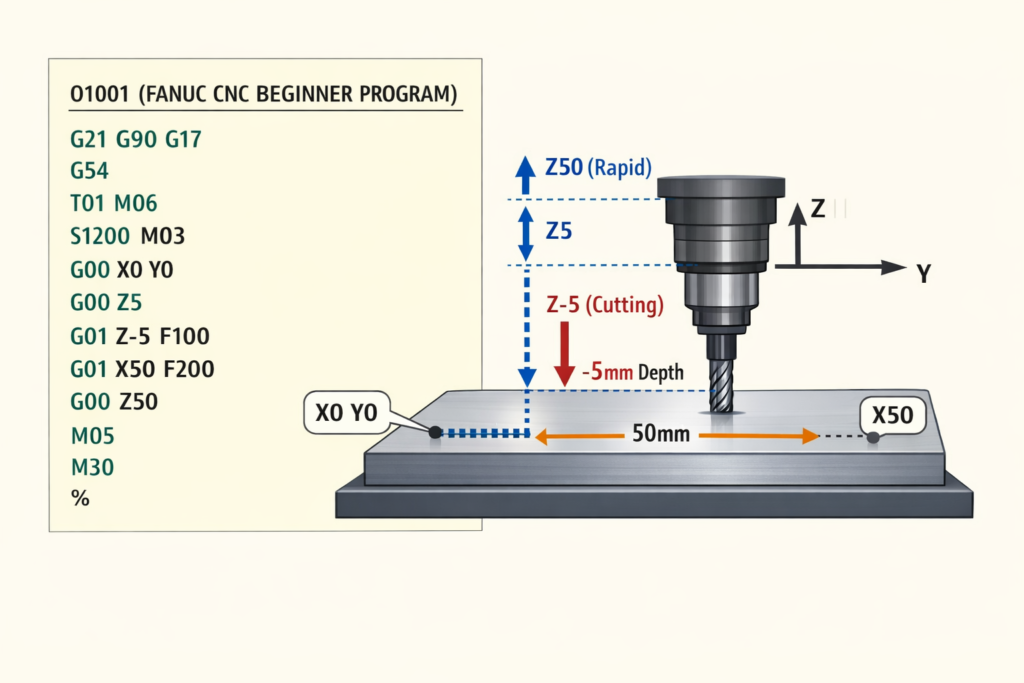
O1001 (FANUC CNC BEGINNER PROGRAM)
G21 G90 G17
G54
T01 M06
S1200 M03
G00 X0 Y0
G00 Z5
G01 Z-5 F100
G01 X50 F200
G00 Z50
M05
M30
Safety Tips for Fanuc CNC Beginners
Safety should always be a priority:
- Always dry run new programs
- Keep feed override low during testing
- Check tool length offsets carefully
- Never stand inside machine travel area
- Use Single Block mode for first run
Many machine crashes happen due to offset errors, not programming mistakes.
Common Beginner Mistakes in Fanuc CNC
Avoid these mistakes:
- Forgetting G90 or G91 mode
- Wrong tool length offset number
- Incorrect work offset selection
- Running program without dry run
- Ignoring alarms and warnings
Learning from mistakes is part of becoming a good CNC programmer.
How to Practice Fanuc CNC Programming
If you don’t have a machine:
- Use CNC simulators
- Practice writing programs on paper
- Watch Fanuc CNC tutorials
- Study machine manuals
Consistency is more important than speed.
Conclusion
Fanuc CNC is one of the best control systems to learn as a beginner. By understanding machine components, operating modes, coordinate systems, and basic G-codes, you can build a strong foundation in CNC machining. With regular practice and attention to safety, you can quickly move from beginner to intermediate level and open doors to better job opportunities in the manufacturing industry.
If you are serious about CNC programming, mastering Fanuc is a smart first step.